Merge Google Maps Timeline files from several phones
Every phone keeps its own Timeline, and Google holds no combined copy. Changed phones, carry two, or have an old Takeout zip? There I Went merges the files into one history: overlaps count once, and where files disagree, you decide.
How to merge your Timeline files
- Export from each phone, and find any old Takeout zip.
- Drop all the files on thereiwent.com together (or use Add another file later). Android, iPhone and Takeout can be mixed.
- The Your files panel lists each file and any times they disagree.
- Download one combined file, a spreadsheet, KML or GPX.
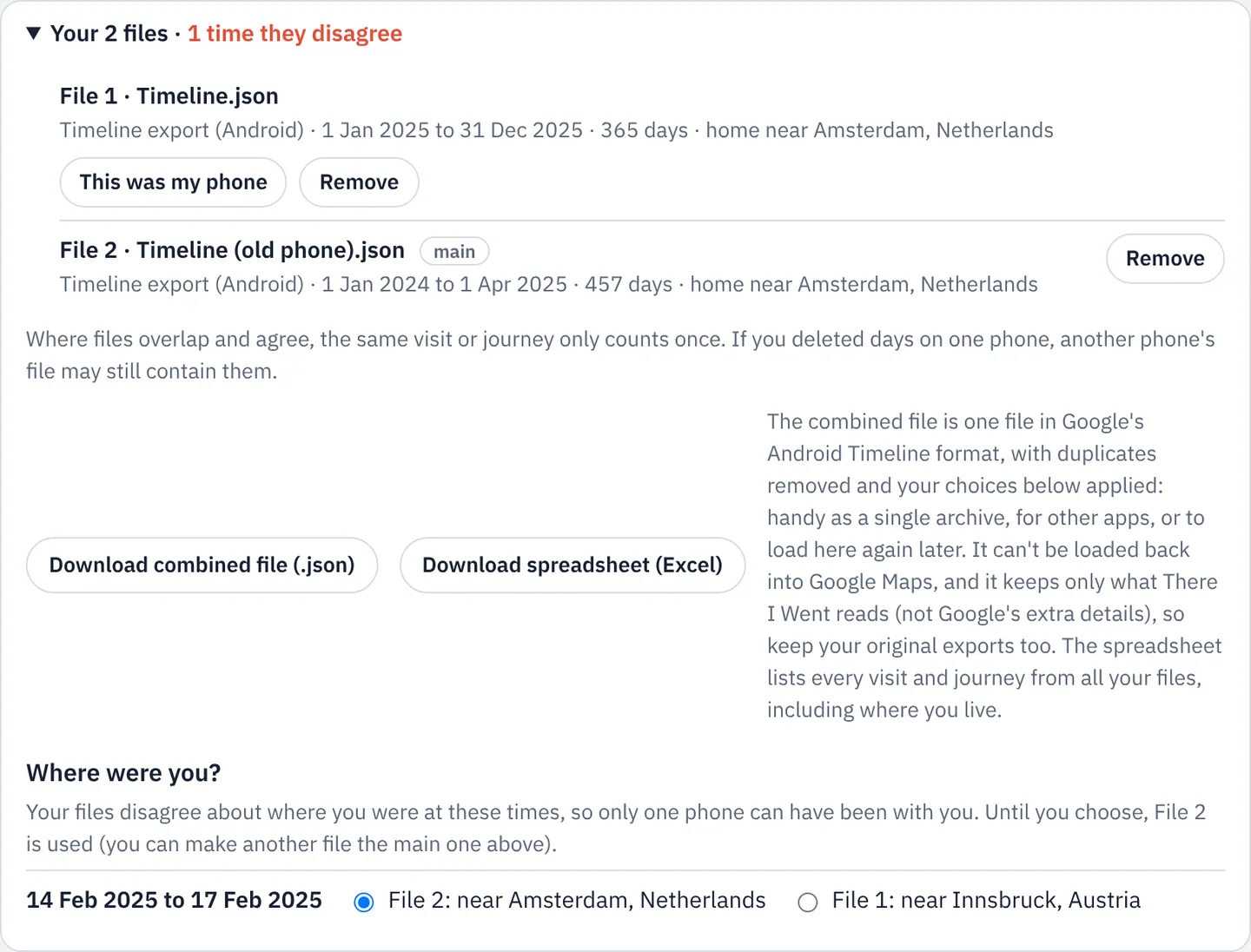
How the merging works
- Covered by one file: used as it is.
- Files agree (within about 3 km at the same time): counted once.
- Files disagree (one phone travelling, one at home): you're asked "Where were you?"; until then the main file wins.
- The main file is the one marked This was my phone, otherwise phone exports beat Takeout, and more data beats less.
- Someone else's phone? A file mostly somewhere else is flagged so you can remove it.
Nothing is averaged or invented: every visit and journey comes from one of your files.
What you can download
- Combined file (.json) in Google's Android format, duplicates removed: one archive to keep or load later.
- Spreadsheet with a column for the file each row came from. What's in it.
- KML or GPX for Google Earth or GPS apps.
Good to know
- It can't be loaded back into Google Maps, which restores only from its own backup.
- Keep the originals: the combined file holds only visits, journeys, routes, home and work.
- Deleted days can come back if another phone's file still has them.
Questions
- Can I merge an Android export with an iPhone export?
- Yes. The combined file uses the Android layout.
- Can I merge my file with my partner's?
- It's meant for one person's phones: every time you were apart would show up as a disagreement.
- How many files can I add?
- No fixed limit. Very large files work best on a computer.
Sources
- Google Maps Help: Manage your Google Maps Timeline: Timeline is saved on each device, and backups are per device
Links checked on 10 November 2026. If something on this page is out of date, please tell us.