A list of your trips abroad, from your Google Maps Timeline
Visa, residency and citizenship forms ask for every trip abroad: the date you left and the date you came back. There I Went lists them from your Google Maps Timeline, for any period, in your browser.
A starting point, not a declaration. Check every date against tickets, bookings or stamps.
How to get your list
- Export your Timeline and drop it on thereiwent.com (plus older files if you need to go further back).
- Set the period the form asks about.
- Scroll to Trips abroad, under Days per country.
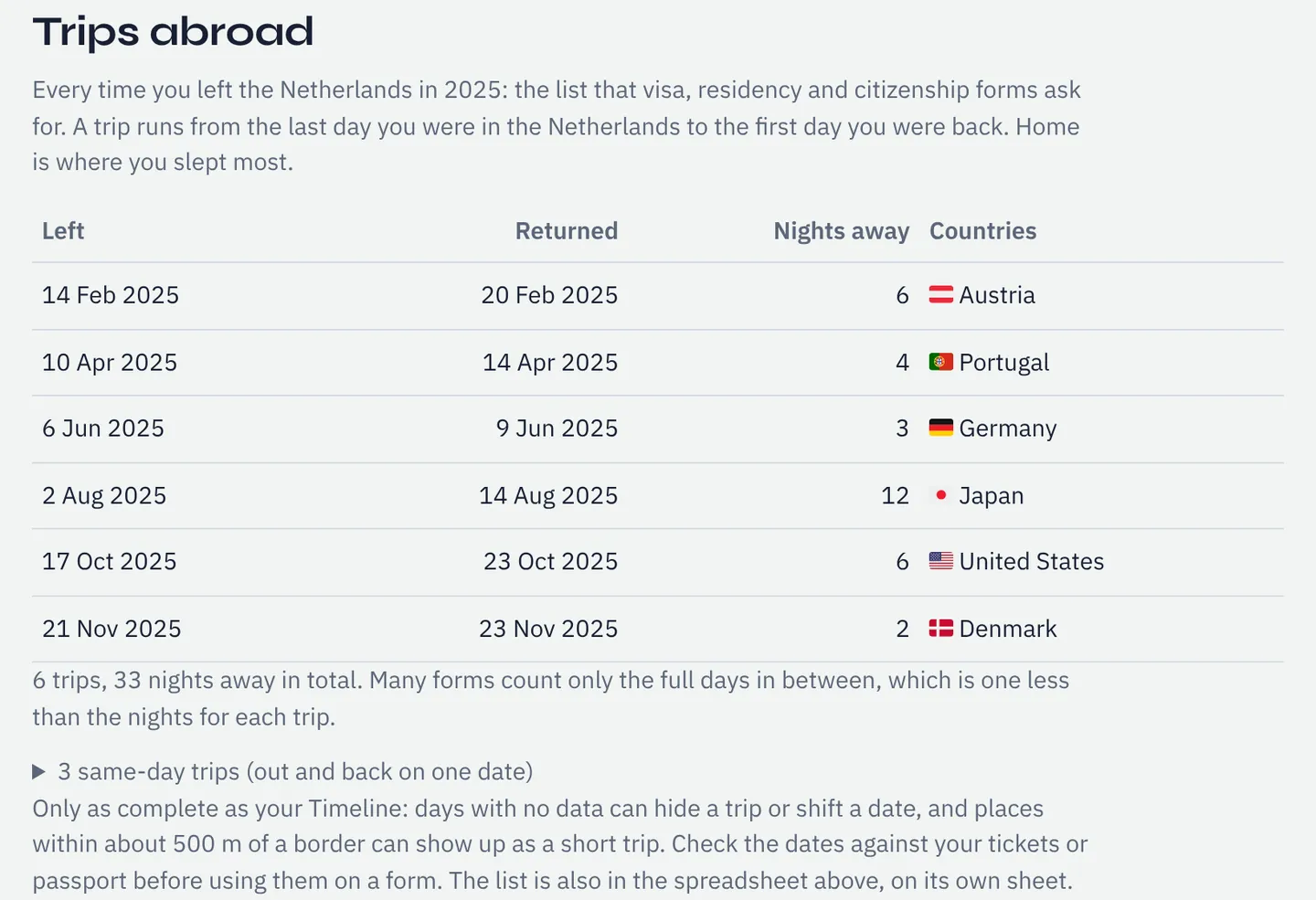
What the list shows
| Column | What it means |
|---|---|
| Left | The last date you were in your home country before the trip. |
| Returned | The first date you were back in your home country. |
| Nights away | The number of nights between the two dates. |
| Countries | Every country recorded during the trip, in order (including a plane change if it was recorded). |
- Same-day trips are listed separately.
- An asterisk marks a trip near missing data: check its dates first.
How "abroad" is worked out
Home is where you slept most, month by month. A trip starts with the first stay in another country and ends when you're back. If you moved country, home moves with you and the move isn't listed as a trip.
Good to know
- Full days away: many forms leave out the days you left and returned, one less than the nights. You have both dates, so apply your form's rule.
- Spreadsheet: Download spreadsheet (Excel) has the list on its own sheet, ready to paste. What's in it.
- Gaps and other phones can hide a trip: missing days, merging.
- Near a border? A place within about 500 m of one can show up as a short trip.
- One trip in detail: look up the day with Where was I on…?. For days per country, see the day counter.
Questions
- Which applications is this useful for?
- Residence permits, settlement and citizenship applications that list absences. Canada, for example, asks for 1,095 days in the five years before applying.
- Will the authority accept it?
- That's up to them. It helps you get the dates right; your tickets and passport back them up.
- My home country is wrong. Can I change it?
- Not by hand yet; it's where you slept most. If you were mostly away, use the days per country table instead.
Sources
- Government of Canada: Canadian citizenship, who can apply: the 1,095-day physical presence requirement
Links checked on 10 November 2026. If something on this page is out of date, please tell us.