Where was I on this day? Look up any date in your Google Maps Timeline
Pick a date and see that day from your Google Maps Timeline: where you were, with times, and the journeys in between. Or type a place and see every time you were there. On a computer, nothing uploaded.
How to look up a date
- Export your Timeline from your phone (an old Takeout zip goes further back).
- Drop it on thereiwent.com, or click Choose file.
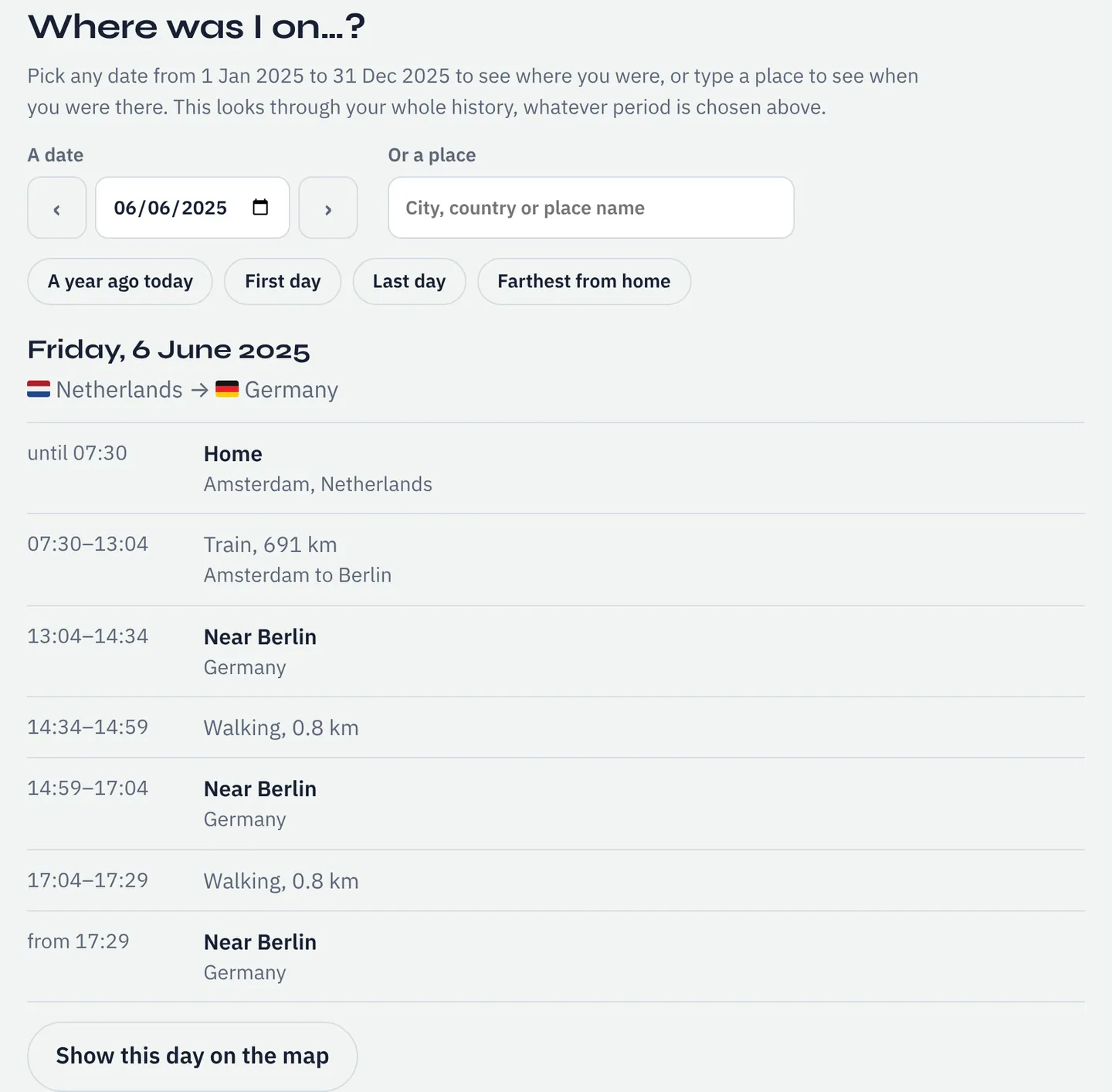
- Under the map, in Where was I on…?, pick the date. The arrows step a day back or forward.
What you see for a day
- Every stay, with times ("until 08:08" began the day before; "all day" means you didn't move).
- Every journey, with how you travelled and how far.
- The countries you were in, in order. Times are local to where you were.
- Show this day on the map for its routes.
No data that day? It offers the nearest days that have some.
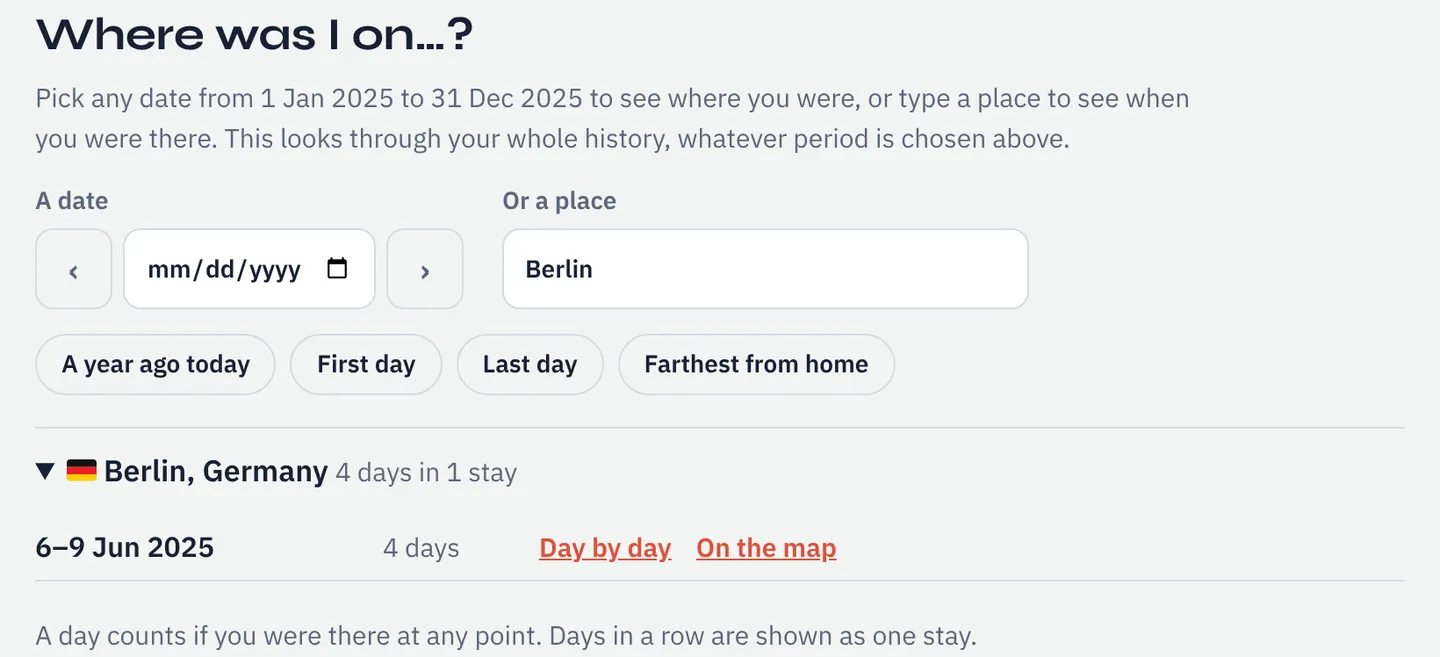
Or look up a place: "When was I in…?"
Type a city, a country or (with older Takeout files) a place name: you get every stay with its dates and the total days, and can go through any stay day by day.
Good to know
- Handy for expense claims, timesheets, forms that ask for dates (see also the trips abroad list), and remembering where a photo was taken.
- It searches everything you loaded, including several phones or an old Takeout. Merging.
- Only as good as the recording: short stops can be missing. Why days go missing.
- Whole history as a table: download the spreadsheet.
Questions
- Can't Google Maps show me this?
- Only on your phone. Timeline no longer opens on a computer, and Google Maps can't search by place across several files.
- How far back does it go?
- As far as your files do. With auto-delete on, a phone may keep only a few months; an old Takeout zip adds earlier years.
- Why does it say "Near Utrecht" and not the shop I was in?
- Phone exports have coordinates, not names, and looking them up would mean sending your locations to Google. So it names the nearest town.
Sources
- Google Maps Help: Manage your Google Maps Timeline: Timeline is not available for Maps on a computer; how to export it from a phone
Links checked on 10 November 2026. If something on this page is out of date, please tell us.